Appearance
The Simulation Agent
An in-app agent that takes a saved drawing and answers two questions about it: what does this become as a flowsheet? and what does it do at steady state? It is read-only — it runs the real engine but keeps nothing.
Use it as a check, not as a modelling session. It tells you whether a P&ID is coherent enough to simulate, which areas it cannot type, and whether the resulting flowsheet converges. When you want to keep a flowsheet and work on it, you use Simulate this drawing instead (see below).
What it is built on
The agent does not have a model of its own. It uses:
- the same projection as the drawing's compile step — the server reads the saved elements, groups them by folder area, and produces a graph in the engine's vocabulary; and
- the same simulation engine that
POST /api/simulation/engine/runuses — build, validate, solve.
So its numbers are the platform's numbers. There is no second, simplified solver behind it.
Where it appears
| Surface | How it shows up |
|---|---|
| Draw → Tools → Run Simulation Agent | The one-click way in. It saves the drawing first (the agent reads the last save), runs a steady-state analysis on it, and shows the summary in a notification — with the model-written narrative when there is one, otherwise the agent's first suggestion. A run that did not converge is shown as a warning. |
Platform & Agents → Agents (/admin/agents) | Listed as Simulation, alongside P&ID Designer, Planner and Bill of Materials. Selecting it shows a note instead of a chat box: the agent does not take chat messages, it runs from Draw → Tools. |
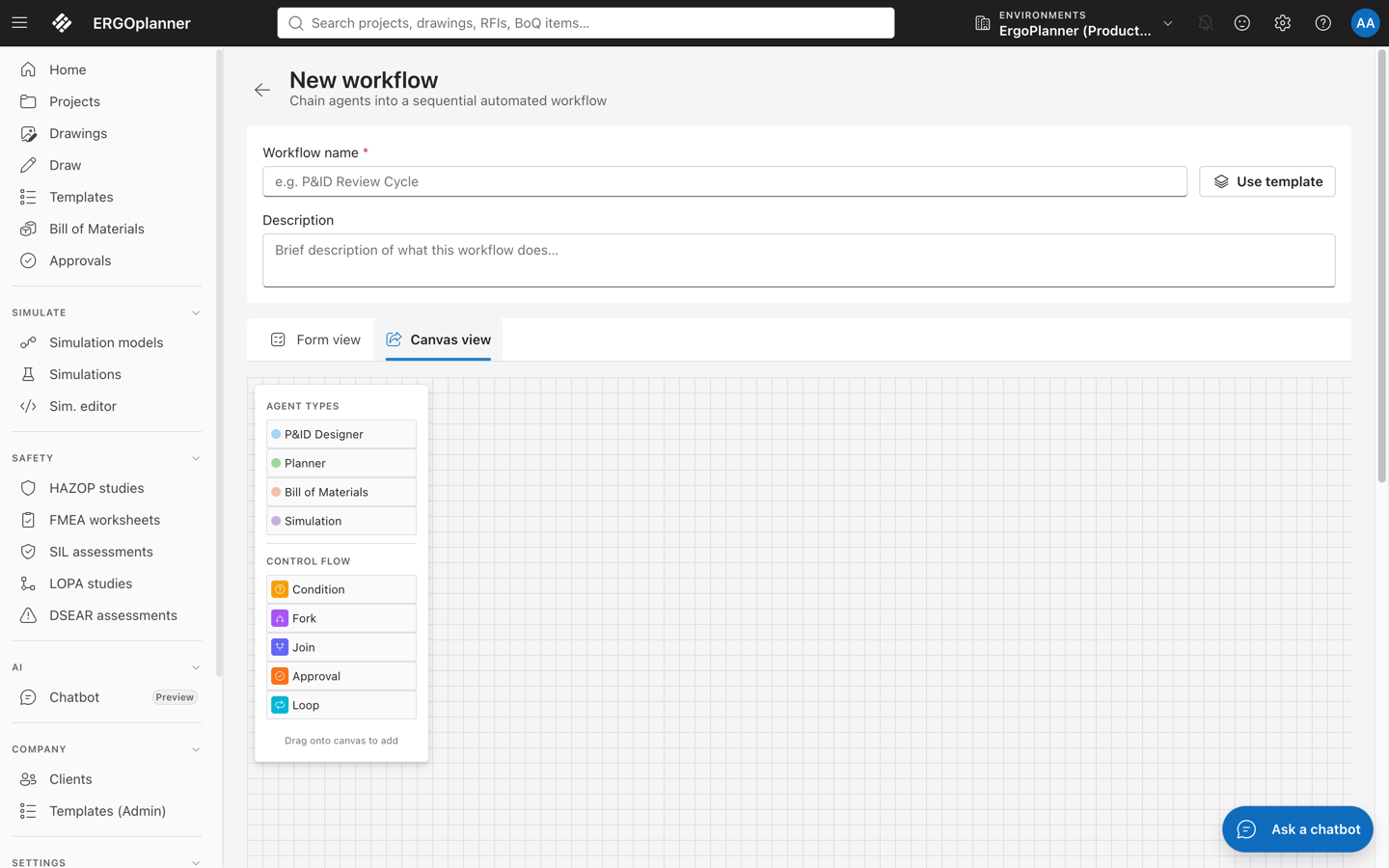
Platform & Agents → Agent workflows (/admin/agent-workflows) | Available in the Agent types stencil; drag Simulation onto the canvas to add a step. |
The Platform & Agents group is hidden in the demo navigation.
What it needs
A saved drawing, named explicitly. The agent is given a drawingId — by Draw → Tools → Run Simulation Agent (which passes the open drawing), through an agent-workflow step's configuration, or through the agents dispatch call (POST /api/v1/agents/dispatch with agentType: "SimulationAgent" and drawingId in metadata or in the JSON input). Without one it answers plainly rather than guessing:
No valid drawingId provided — the Simulation Agent works on a saved drawing.
and if the id does not resolve: Drawing not found.
Agent dispatch is a Professional-tier feature; on a lower plan the call is refused with a payment-required response before the agent runs. From Draw, that refusal raises the plan banner with the upgrade action rather than an error.
Its two tasks
SIMULATION_SETUP — what the drawing becomes
The default. It projects the saved drawing and reports:
- a one-line summary — "The drawing becomes a flowsheet of N process unit(s), M influent/effluent boundary(ies) and K stream(s).";
- every unit with its name, resolved unit type and tags;
- how many units could not be matched to a simulation model, with the sentence "…need a unit type";
- the projector's own diagnostics, each prefixed with its severity.
Nothing is solved. This is the cheap question.
STEADY_STATE_ANALYSIS — what it does
Setup, then a steady-state run. Before running it checks your plan's simulation-run allowance; if you are out, it stops with "Simulation run quota reached: …".
The run reports status, whether it converged, iterations, final residual, duration, effluent mass, mass-balance closure per component and any engine warnings. The summary is written for reading aloud in a review:
- converged — "Steady state converged in N iteration(s) (residual …)."
- not converged — "Steady state did NOT converge after N iteration(s) (residual …) — treat the results as indicative only."
- it names the worst mass-balance closure (1 = balanced) so the weakest part of the balance is the thing you see first.
If validation rejects the graph the status is Invalid and the errors are listed; if the build throws, Failed. A drawing that produces no process units does not consume a run — it answers "Nothing to run: the drawing produced no process units."
What it suggests
Alongside the result it returns next steps — set a process unit type on unresolved areas; check recycle streams and the influent definition if it did not converge; and, always, use "Simulate this drawing" to keep this flowsheet as a simulation project.
The narrative
When your organisation has an LLM provider configured, the agent adds a short narrative over the engine's output, marked as model-written. The model is given the numbers as JSON and instructed to use only those numbers and never to introduce, estimate or round to a new value. If no provider is configured, or the call fails, the deterministic summary stands on its own and the task still succeeds — the narrative is never load-bearing.
What this does not do
- It writes nothing. No simulation project, no compile record, no run row. After it finishes, Simulation models and Simulations look exactly as they did before. There is no artefact to open afterwards — the answer is the agent's response.
- A steady-state run still counts against your plan's simulation-run allowance, even though nothing is stored.
- Steady state only. It does not run dynamic simulations, does not sweep scenarios and does not calibrate anything.
- It does not touch the drawing. No unit types are set, no areas created, no tags written. Unresolved units are reported, not repaired.
- It is not reachable from chat. A chat turn carries no drawing, and the free-text classifier deliberately has no keywords for it, so asking the assistant to "simulate my drawing" will not reach this agent. On
/admin/agentsthe Simulation entry therefore shows a note pointing to Draw → Tools instead of a chat box. - It keeps no run record. The notification in Draw is the report; nothing appears afterwards under agent history or Simulations. If you want a simulation you can see and keep, that is Simulate this drawing, not this.
- It reads the last save. The Draw menu item saves first; through the dispatch call, unsaved canvas edits are invisible to it.
Simulation Agent vs. "Simulate this drawing"
| Simulation Agent | Simulate this drawing (drawings register row action) | |
|---|---|---|
| What you get | A report: flowsheet contents, diagnostics, a steady-state result | A simulation project, open in the simulation editor |
| Stores anything? | No | Yes — the compiled project |
| Runs the engine? | Yes, at steady state, on request | You run it from the editor |
| Reached by | Draw → Tools → Run Simulation Agent, a workflow step, or the dispatch call | Clicking the row action |
See also
- Simulation Overview — the engine, models and calculation modes the agent uses
- Steady-State Simulation — what a steady-state run means
- AI Provider Setup — configuring the provider the optional narrative needs