Four engineering agents that propose — you decide.
Drawing and BoQ agents work from your model; nothing is placed until you accept.
Try it with a sample plant- Drawing Agent — a symbol-placement plan for your review
- Planner Agent — a schedule with critical path
- BoQ Agent — a costed answer, priced from your rate card
- Simulation Agent — a flowsheet setup and a steady-state run for your review
You accept, adjust or reject
Included from the Professional plan.
Book a demoWhat this replaces
You have asked a general-purpose chatbot about a P&ID before. It came back with a confident paragraph naming a valve nobody in your company stocks, in a tag format your client rejected two revisions ago, and no way to tell which half was sound without checking every line yourself.
The trouble was never that the answer was wrong. It was that it arrived as text: nothing you could place, nothing you could undo, and nothing that had been checked against the drawing open on the other monitor.
Generic chatbots that don’t know your plant
AI output nobody can check against the model
Suggested equipment your symbol library has never heard of
A proposal you can check is worth more than an answer you have to trust.
How it works
What you get out
- Drawing Agent — a symbol-placement plan for your review
- Planner Agent — a schedule with critical path
- BoQ Agent — a costed answer, priced from your rate card
- Simulation Agent — a flowsheet setup and a steady-state run for your review
Agent output is a proposal, not an engineering deliverable. A competent engineer reviews and decides before anything reaches the model.
What each of the four actually does
The Drawing Agent
You describe what you want in a sentence and it returns nodes and connections to place on the open sheet. It handles symbol placement, line routing, tag generation and a check of a design against a drawing standard — BS 1553 and ISA 5.1 when the drawing names none.
Every symbol it proposes is checked against your own library before the proposal leaves the server. An exact match is accepted; a near match is substituted and declared as an assumption naming both the symbol asked for and the one used; a symbol with no close match is dropped with a warning, and so is any connection that touched it. The matching is deliberately dull — normalised equality, then containment, then a bounded edit distance for typos — because it exists to forgive a model’s spelling, not to guess at its intent.
The Planner Agent
Point it at a schedule you already hold and it runs a real critical-path calculation: a topological sort, a forward and a backward pass, total and free float on every task, all four dependency relationships with their lag, and a refusal to continue when the network contains a cycle. Summary tasks are excluded rather than inflating it.
Ask it instead to generate a programme from a written description and you are asking a language model for a plausible plan, which is worth knowing before you quote a date from it. The critical path on a schedule you hold is computed; on a generated programme it is whatever the model asserted.
The BoQ Agent
It owns no price list. Quantities come from the drawing takeoff and rates from the same engine that builds your Bill of Materials, resolved in a fixed order: your project rate card by item code, then by category, then the company rate card the same two ways, then your material catalogue, then the shared one, then the seed mapping.
A line nothing can price keeps its real quantity, is marked as carrying no rate, and is left out of the subtotal and of every category total — then counted in the cost summary and named in a warning saying how many lines were excluded. A bill that is honestly incomplete beats one that is quietly wrong.
The Simulation Agent
It reads the saved drawing as a process model and reports what that drawing becomes as a flowsheet, including any unit it could not match to a simulation model and which therefore needs a unit type from you. Ask it for a steady-state analysis and it also runs that flowsheet to steady state with the platform’s simulation engine, checked against your plan’s simulation quota, and says whether the run converged.
It is read-only: it creates no simulation project and overwrites nothing, so keeping a result is a separate step you take with “Simulate this drawing”. Every number comes from the engine. When a language-model provider is configured it adds a written narrative over those numbers and is told never to introduce a value; without one, the plain summary stands alone.
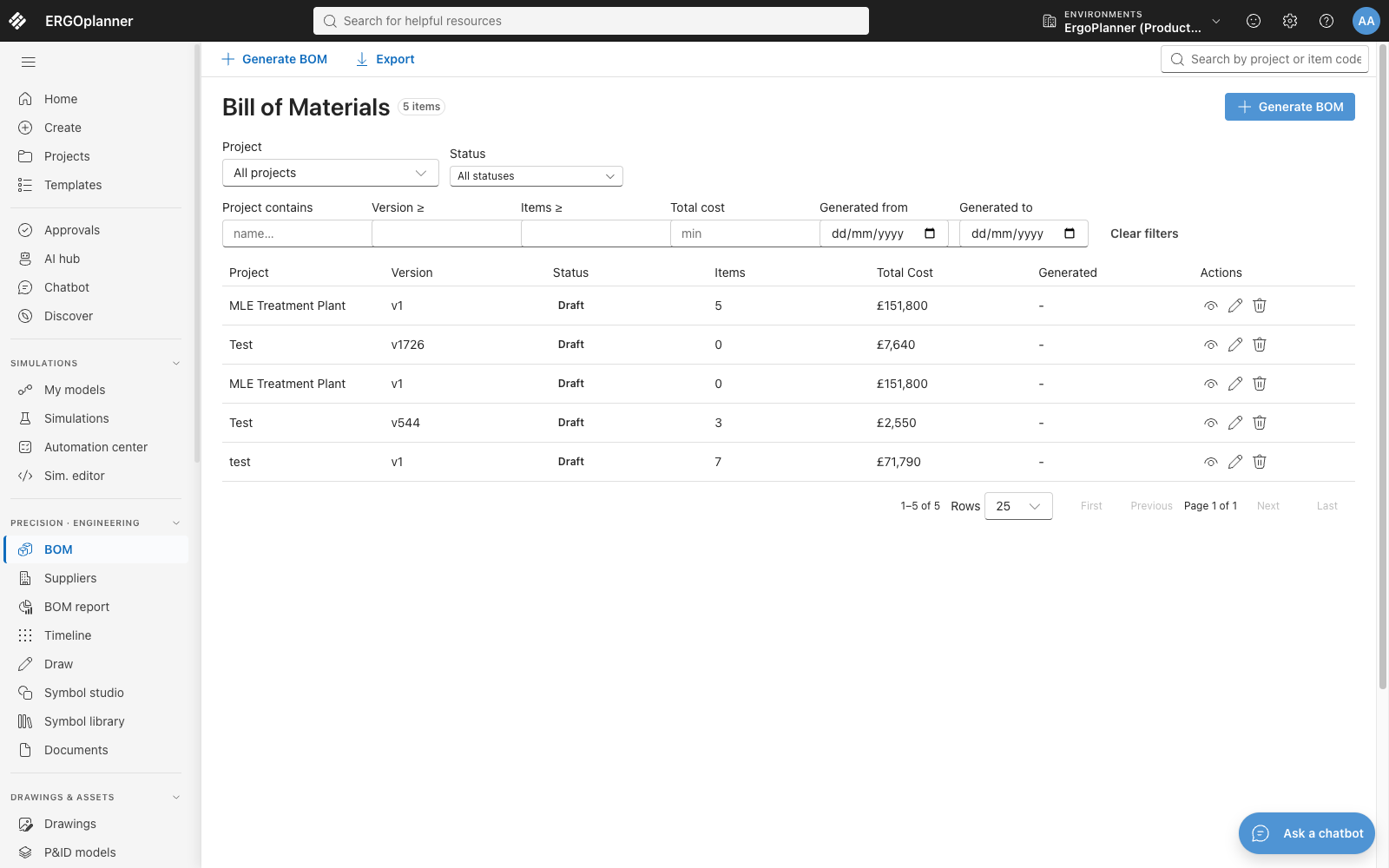
The Bill of Materials register — one row per generated bill, with its item count and total. The BoQ Agent has no price list of its own: it asks this engine, which resolves a rate through your project rate card, then your company’s, then the catalogues. No agent appears on this screen; this is the thing it reads from.
What it is built to
- None of the four agents writes to your model — placement is always a separate, explicit step you take
- BS 1553 and ISA 5.1 — the standards a design check runs against when the drawing names none
- Per-tenant LLM routing — self-hosted, bring-your-own-key or managed, one profile per company — built and tested, off by default
- No model-training pipeline behind the agents — nothing you type into one is used to train a model
Why this is not a chatbot with your drawing attached
A chatbot hands you text and the work of checking it. Here the answer is a structured proposal that two independent checks have already refused to pass if it names something you cannot draw.
The server will not propose a symbol your tenant does not have, and the browser will not place one the live stencil catalogue cannot draw. The two checks read different sources at different moments, and the second treats a catalogue that has not finished loading as “cannot check” rather than as “everything is broken”.
An agent proposal is translated into exactly the payload a recognition proposal uses, so accepting either runs the same single placement call and lands in the same single undo group. Undo after an agent acceptance behaves as it does everywhere else in the editor, because it is the same code.
One list in the domain layer names the agent types that can be dispatched, the resolver’s table must equal it or a test fails, and the seed data reads its active flag from the same list. An agent with no implementation cannot reach a picker for you to choose.
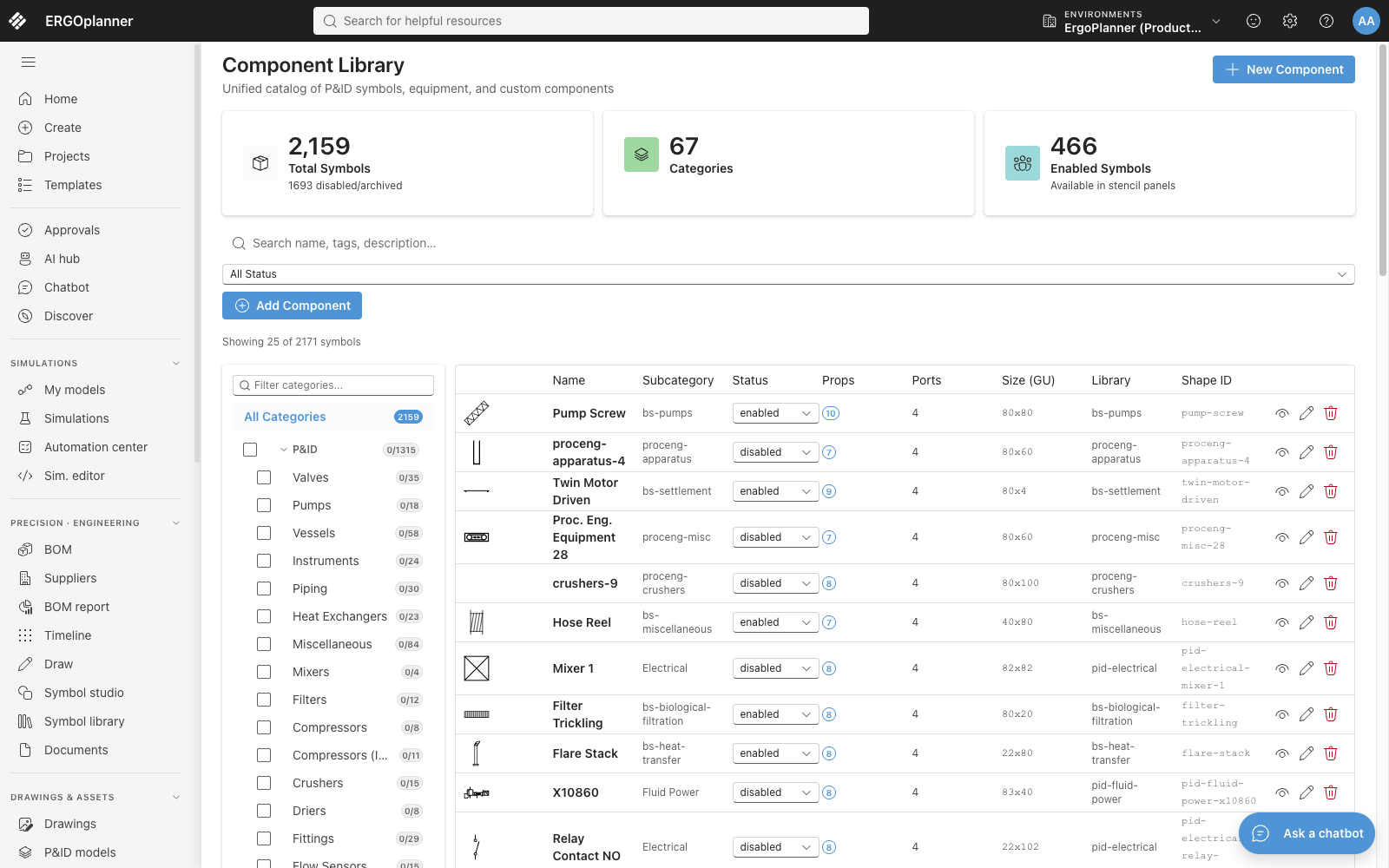
The component library, with an enabled or disabled status on every symbol definition. The Drawing Agent’s prompt is built from the enabled ones, and a proposal naming anything else is substituted with the assumption declared, or dropped with a warning, before it reaches you.
What it does not do
Six things this page gets asked for and does not do. You would find every one of them out in week one anyway.
- No record of who accepted whatAccepting a proposal writes elements into your drawing and nothing else — no agent action row, no reviewer, no approval history. The drawing’s version history shows that the elements appeared; it does not show that an agent proposed them or that you were the one who agreed.
- The Planner Agent does not read your drawingIt holds two dependencies, a language model and the scheduling service, and no path to the model at all. Generating a programme means describing the project in words, and a reply that cannot be parsed yields a generic water-treatment programme rather than an error.
- Per-tenant LLM routing ships switched offThe tenant profile, the encrypted key storage and the rule that a sovereign tenant never falls back to our account are built and tested, but the flag that consults them defaults to off, so a default deployment routes through the platform provider chain instead. Arrange it with us rather than looking for a switch.
- Memory is twenty messagesAn agent chat reply streams as it is written and Stop cancels it, keeping what arrived; the chat is given the twenty most recent turns with no summary of anything older.
- No agent runs before a provider is configuredUntil your tenant has a language-model provider set up, every AI surface carries a preview badge and a dispatch simply fails with a message. This is a feature you switch on deliberately, not one quietly running against your data already.
- Not on the entry planEvery dispatch runs a model, so the whole endpoint is gated at Professional and above. A company below that tier gets a payment-required response naming the tier it needs, rather than a quietly degraded answer.
Technical capabilities
Questions people actually ask
Which agents can I use today?
Four: Drawing (symbol placement, line routing, tag generation and a standards check), Planner (critical path on a schedule you hold, or a generated programme), BoQ (quantities and cost from your own rate cards) and Simulation (sets up a flowsheet from the saved drawing and runs it to steady state for your review). The other names in the enum have no implementation, are seeded inactive, and appear in no picker.
Does an agent ever change my model on its own?
No. Each agent returns a proposal; placing it is an action you take, and accepting one runs exactly one placement call that a single undo reverses. Rejecting writes nothing at all.
Where does my data go?
Today, by default, to the provider chain configured on the deployment you are using. Per-tenant routing — your own endpoint, your own key, or our managed option, with no silent fallback to our account — is built and tested but ships behind a flag that is off, so it is something to arrange with us. Nothing you send an agent is used to train a model either way.
Which plan includes the agents?
Professional and above. Every dispatch runs a model, so the whole endpoint is tier-gated: a company below Professional gets a payment-required response naming the tier it needs, rather than a quietly degraded answer.
Ask for something, then decide.
Open a drawing, describe one thing you want on it, and look hard at what comes back before you accept any of it. That loop is the product.