One model. Seven ways to use it.
Every product below reads and writes the same P&ID model. Nothing is re-entered.
How they fit together
They are not a pipeline you pass work along. Each one reads and writes the same P&ID model, so the arrow below points the same way seven times.
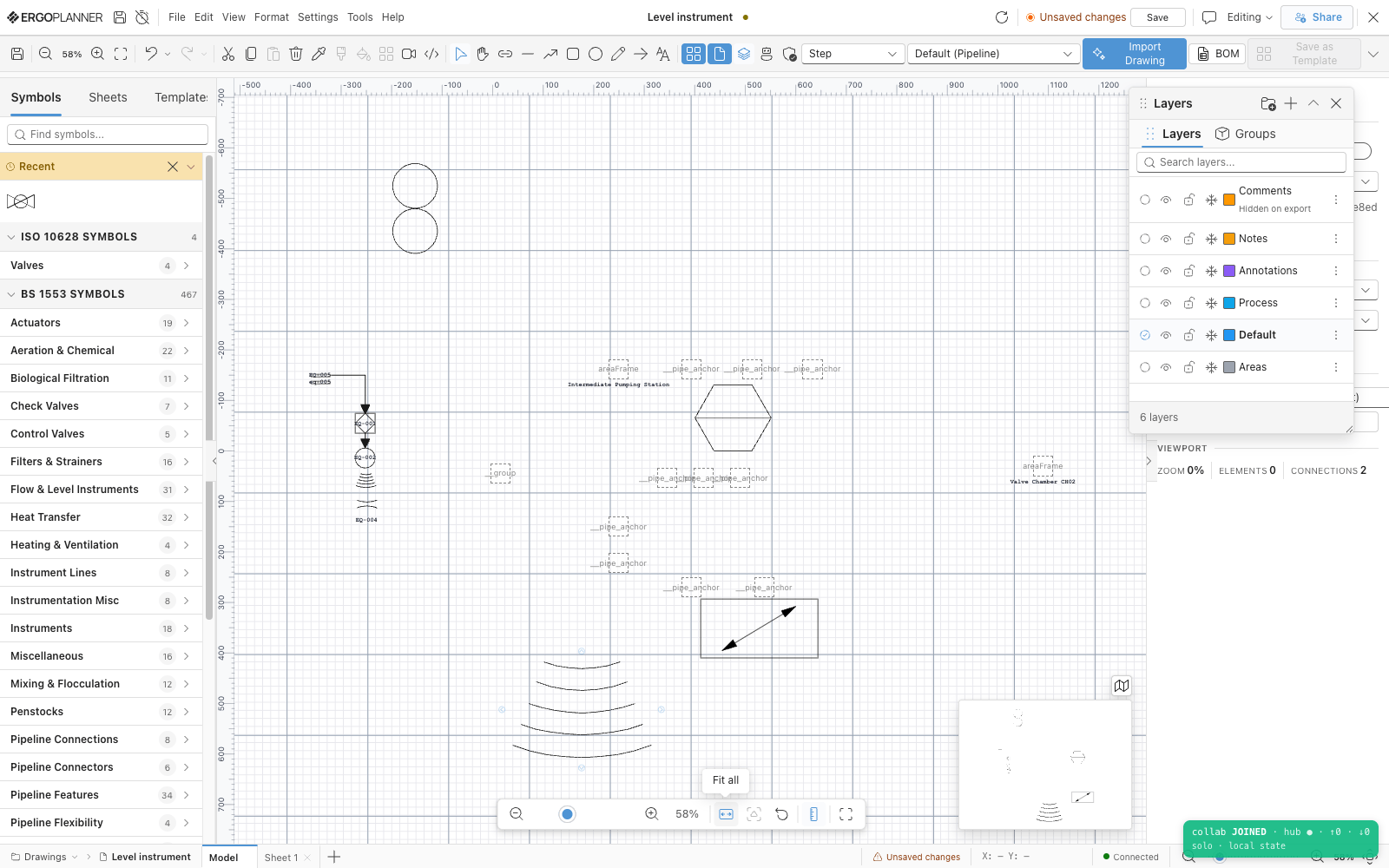
Model space, with the stencil rail on the left listing symbol categories by standard and the layer panel on the right. This canvas is the model the other six products read.
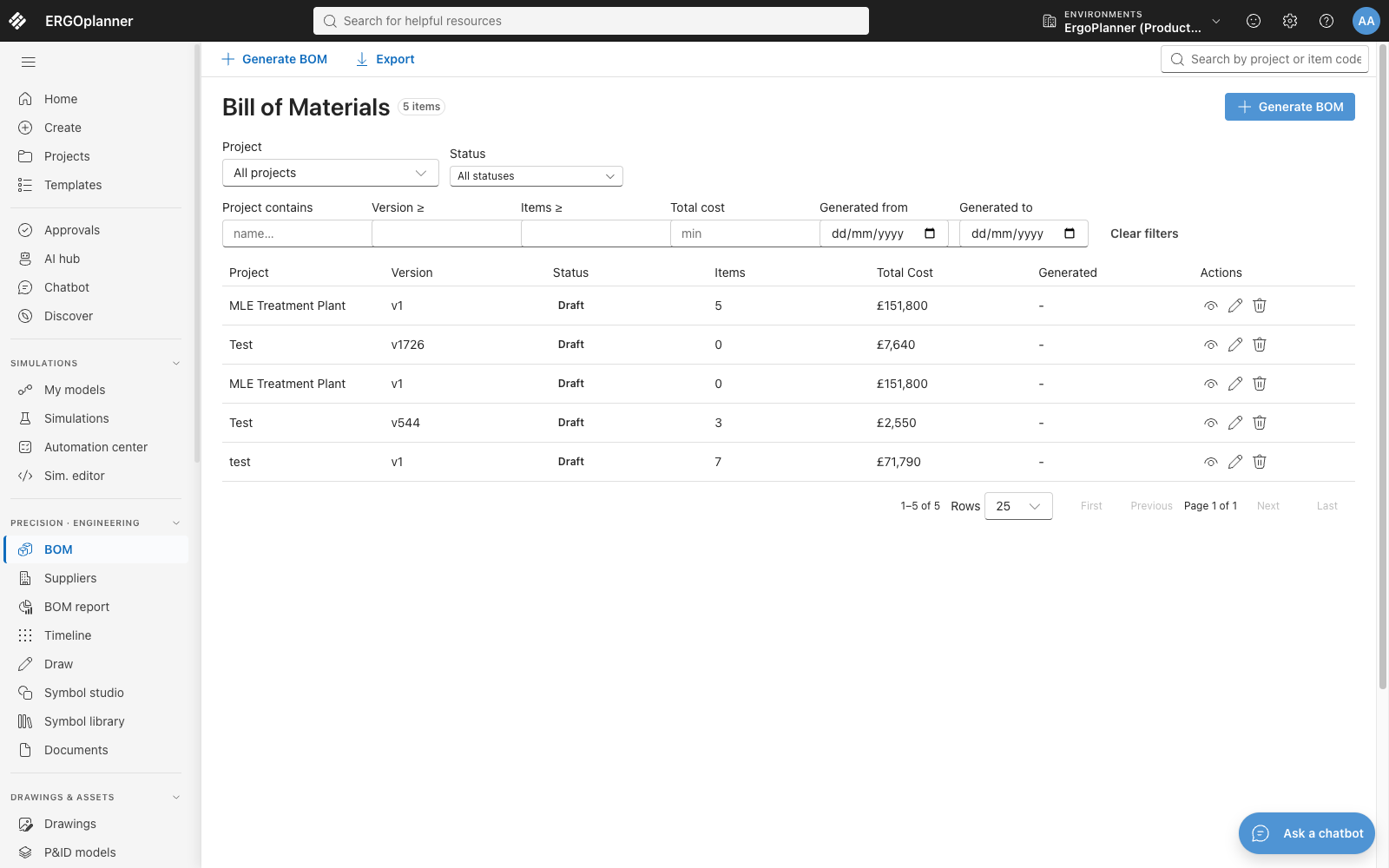
One row per generated bill, each carrying its project, version, item count and total. The quantities are the model’s; nobody re-types them here.
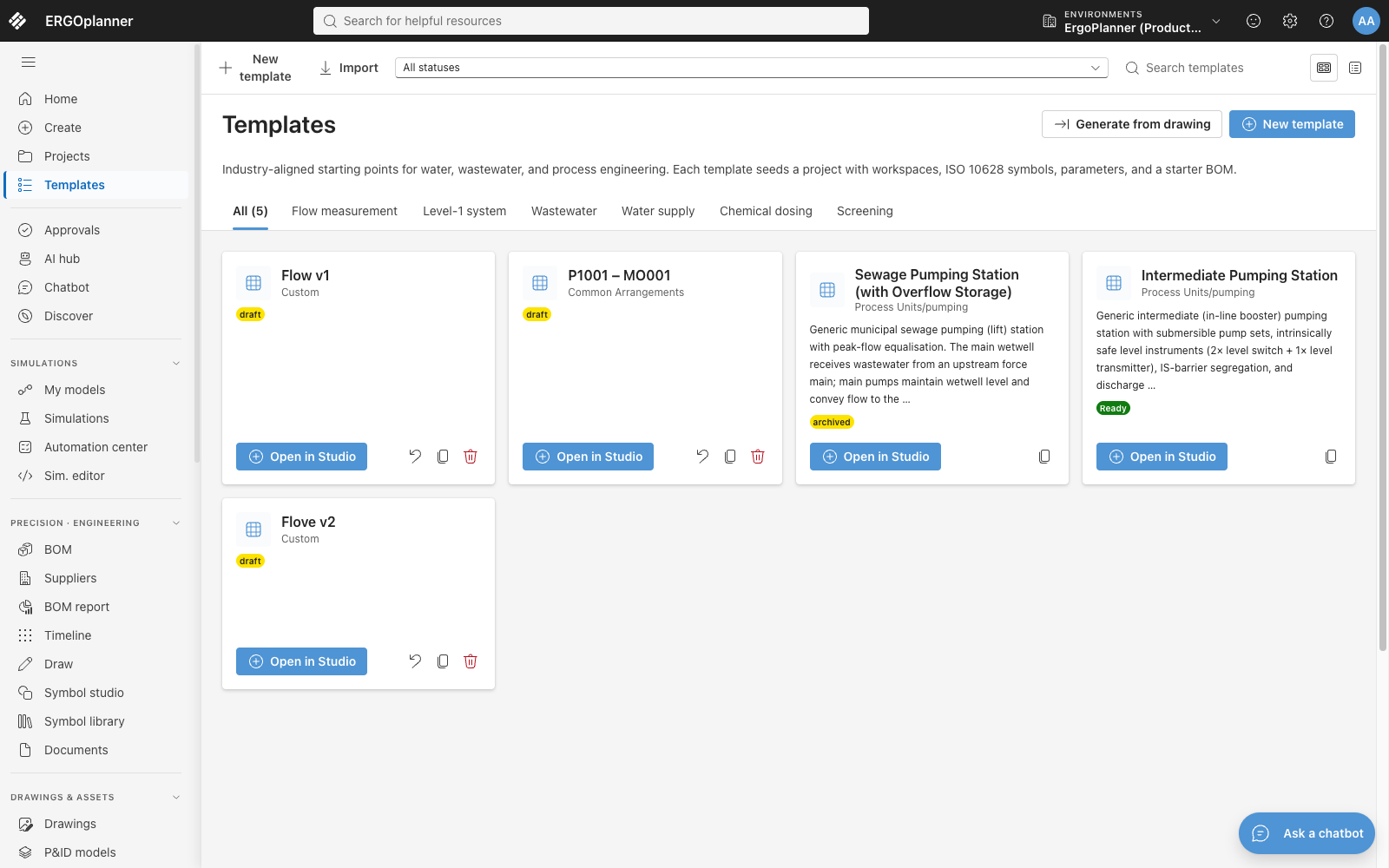
Templates grouped by process category, each carrying its own draft, ready or archived status. The screen says what one is for in its own words: a starting point that seeds a project with workspaces, symbols, parameters and a starter BOM.
Technical capabilities
- BS 1553 — symbol library
- ISA-5.1 — symbol library, and the tag-format validation rule
- ISO 10628 — symbol library
- PIP — symbol library
- IEC — symbol library
- Every line traces to the symbol it came from, by source symbol id and tag
- Rates resolve project → company → shared catalogue, from the most specific card that carries one
- A quantity override is put through your own governance rules first — held for review, or refused outright
- Generation is deterministic code with no language model in the path — the same model produces the same bill
- IEC 61882 — the guideword set and the 5×5 risk matrix the HAZOP worksheet works to
- IEC 61511 Annex F / CCPS — the LOPA frequency arithmetic, with an independence gate on each protection layer
- IEC 61508-6 — SIL verification by the simplified low-demand PFDavg equations
- IEC 60079-10-1 and DSEAR 2002 — zone classification, by a simplified scheme: a flashpoint flammability gate and a release-grade to zone-type mapping
- AIAG-VDA — the FMEA worksheet carries an action priority alongside the risk priority number
- Every study is facilitated by the tool and owned by you. Nothing here is a certification, and none of it replaces a competent facilitator or a functional-safety assessor.
- IWA activated-sludge models ASM1, ASM2d and ASM3
- IWA anaerobic digestion model ADM1, with its own acid-base and Petersen matrix implementation
- An Anammox model for deammonification
- The Takács layered settling model for secondary clarification
- BDF, Runge-Kutta and Newton solvers, chosen per run
- No accuracy figure is published, because no validation set has been published to put behind one. The model references above are what we will stand behind.
- BS EN ISO 19650-2 — the fifteen purpose-of-issue suitability codes, S0–S7 and A1–A7
- SHA256 — the package archive, every rendered file inside it, and every datasheet value snapshot
- None of the four agents writes to your model — placement is always a separate, explicit step you take
- BS 1553 and ISA 5.1 — the standards a design check runs against when the drawing names none
- Per-tenant LLM routing — self-hosted, bring-your-own-key or managed, one profile per company — built and tested, off by default
- No model-training pipeline behind the agents — nothing you type into one is used to train a model
- Every proposal is reviewed before it is placed — no unreviewed output ships to the model
- DWG is parsed natively, not converted through DXF first
- ISA S5.1 — an OCR-read tag prefix is classified against a prefix table, longest prefix first
- SHA256 — the detector model file is verified against a pinned digest at load, and a file that does not match is refused
- Drawing sheets as PDF, SVG or PNG
- DXF — one sheet or a multi-sheet set
- Tag register (CSV)
- Version register (CSV or JSON)
- Drawing register — on screen, one row per process-area view; no file export yet
- Bill of quantities as XLSX — line items on one sheet, category summary on another
- Bill of quantities as PDF, with the project and drawing in the title block
- CSV, through the BoQ agent (Professional plan and an AI provider key)
- Costed lines — unit cost, total cost and the rate card the rate came from
- A lead-time procurement schedule, through the same agent
- A diff between two versions of a bill, through the same agent
- Purchase, installation, inspection, maintenance, replacement and decommissioning events per line
- HAZOP study report (PDF)
- HAZOP worksheet (CSV or XLSX)
- Action register (PDF, CSV or XLSX)
- LOPA study report (PDF)
- SIL assessment report (PDF)
- FMEA worksheet report (PDF)
- FMEA worksheet (CSV or XLSX)
- DSEAR assessment — held in the tool; no export yet
- Simulated state per unit and per stream, over the run
- Mass-balance closure per component
- Unit sizing — aeration design, primary and humus tanks, biofilters, chemical dosing, sludge production
- Scenario comparison between runs
- Hydraulic solve — heads, flows and pressures across the network
- Equipment datasheets that take their process figures from the latest completed run
- Equipment datasheet (PDF), per element — 11 equipment families
- Datasheet register — on screen, with a per-row PDF download; no register file yet
- Transmittal package (ZIP) with an ISO 19650 cover sheet (PDF)
- Transmittal record — issued, acknowledged, tracked
- Client comments on the package — answered, closed, or raised as an issue
- Drawing Agent — a symbol-placement plan for your review
- Planner Agent — a schedule with critical path
- BoQ Agent — a costed answer, priced from your rate card
- Simulation Agent — a flowsheet setup and a steady-state run for your review
- A live model — every placed proposal becomes a model element, tagged and connected
- An editable P&ID sheet
- Tag register export (CSV) — RFC-4180, per project, the first 10,000 history rows
- A reusable template, generated from the recognised sheet
- Your corrections (ZIP) — cropped images and labels; nothing is retrained from them yet
- Drawing Agent — a symbol-placement plan for your review
- Planner Agent — a schedule with critical path
- BoQ Agent — a costed answer, priced from your rate card
- Simulation Agent — a flowsheet setup and a steady-state run for your review
- P&ID Editor
- Bill of Materials
- Safety Studies
- Simulation
- Documents
- AI Agents
- Import & Recognition
- What is an intelligent P&ID?